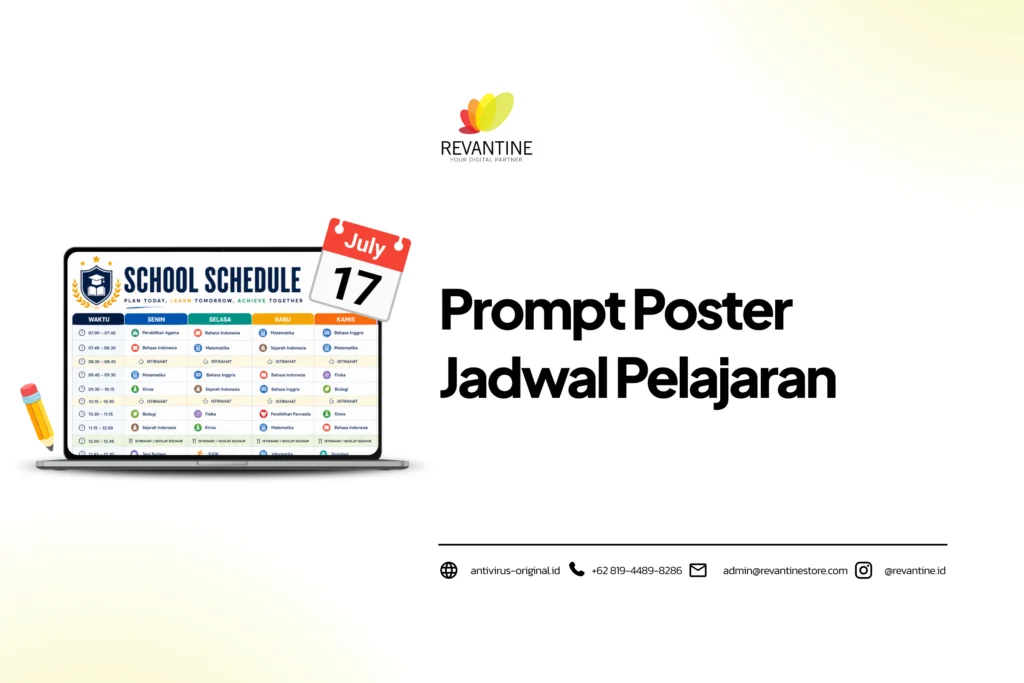
Tahun ajaran baru, jadwal pelajaran pun juga diperbarui.
Agar tampilannya lebih menarik saat ditempel di kamar, kelas, maupun diprint yuk manfaatkan AI untuk membuatkan poster jadwal pelajaranmu!
Revantine sudah mengumpulkan beberapa prompt poster jadwal pelajaran siap pakai yang bisa kamu tempel ke ChatGPT atau Gemini. Dalam hitungan menit, AI dapat menghasilkan desain poster yang siap dicetak.
8 Contoh Prompt Poster Jadwal Pelajaran
Mau buat desain jadwal pelajaran tapi tidak bisa desain? Ini dia beberapa prompt poster jadwal pelajaran yang bisa kamu gunakan:
1. Tema Kawaii/Pastel
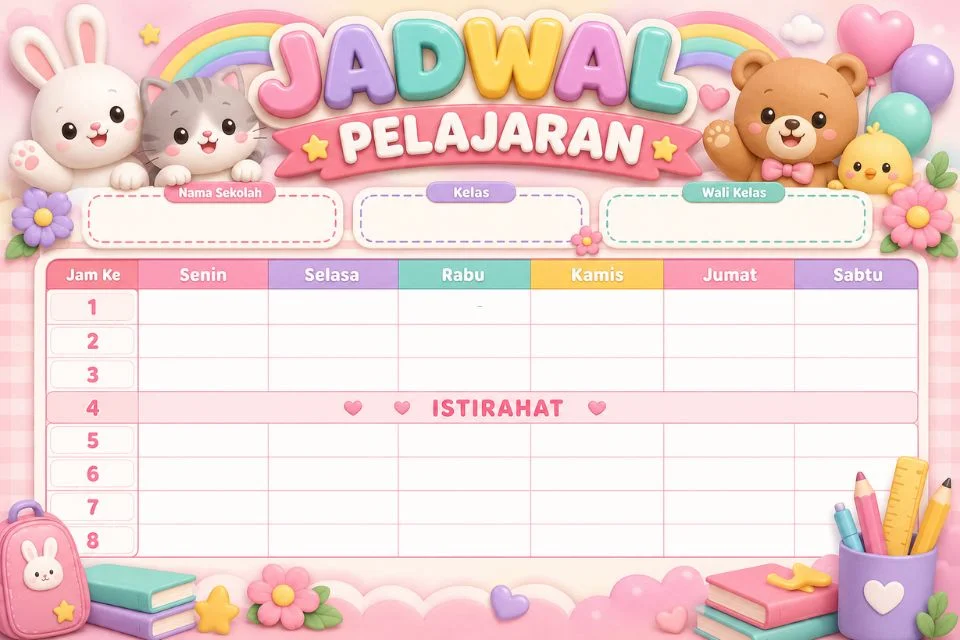
Create a landscape A3/A4 poster design, 300 DPI, cheerful and child-friendly 3D kawaii pastel style. Header: large title text “JADWAL PELAJARAN” in 3D glossy effect, surrounded by cute animal characters (rabbit, cat, bear). Below the header, add 3 empty dashed-line info boxes labeled “Nama Sekolah”, “Kelas”, “Wali Kelas” (leave the boxes blank, no text inside). Create an empty schedule table with columns “Jam Ke”, “Senin”, “Selasa”, “Rabu”, “Kamis”, “Jumat”, “Sabtu”, 8 rows of periods, with one row labeled “ISTIRAHAT” at row 4. Leave all schedule cells BLANK, do not fill in any subject names. Dominant colors: pastel pink, lavender, mint, and cream. Rounded, large, kid-friendly font. Print ready, no watermark, high resolution, keep the table clearly readable.
2. Tema Laut/Petualangan
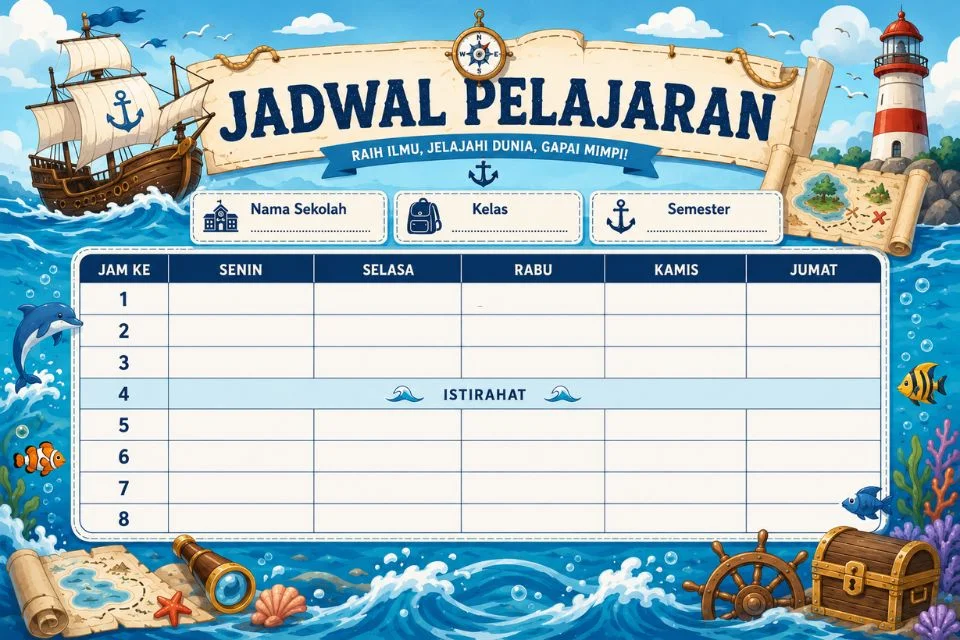
Create a landscape A3/A4 poster design, 300 DPI, sea adventure theme.
Header: wooden sign hanging from rope with the text “JADWAL PELAJARAN”, surrounded by a compass, sailing ship, and lighthouse. Add a short adventure/motivational tagline below the title.
Below the header, add 3 empty dashed-line info boxes labeled “Nama Sekolah”, “Kelas”, “Semester” (leave the boxes blank, no text inside).
Create an empty schedule table with columns “Jam Ke”, “Senin”, “Selasa”, “Rabu”, “Kamis”, “Jumat”, 8 rows of periods, with one row labeled “ISTIRAHAT” at row 4. Leave all schedule cells BLANK, do not fill in any subject names.
Dominant colors: sea blue, white, and turquoise. Add decorative illustrations on the border (dolphin, fish, coral reef, treasure map, spyglass, ship wheel, treasure chest) without covering the table.
Modern cartoon illustration style, clean layout, print ready, ultra sharp, no watermark.
3. Tema Minimalis Profesional
Create a landscape A4 poster design, 300 DPI, minimalist and professional modern style.
Header: title text “JADWAL PELAJARAN” in bold sans-serif typography, no excessive ornaments, only thin geometric lines as accents.
Below the header, add 3 empty dashed-line info boxes labeled “Nama Sekolah”, “Kelas”, “Tahun Ajaran” (leave the boxes blank, no text inside).
Create an empty schedule table with columns “Jam Ke”, “Senin”, “Selasa”, “Rabu”, “Kamis”, “Jumat”, 8 rows of periods, with one row labeled “ISTIRAHAT” at row 4. Leave all schedule cells BLANK, do not fill in any subject names.
Dominant colors: navy, white, and gray with a subtle blue accent. Neat grid layout, clean, plenty of whitespace.
Print ready, high readability, no watermark.
Baca Juga: 15 Prompt Video Affiliate Tanpa Tampil Depan Kamera
4. Tema Islami
Create a landscape A3/A4 poster design, 300 DPI, elegant Islamic theme.
Header: title text “JADWAL PELAJARAN” in glossy gold effect, surrounded by calligraphy ornaments and Islamic geometric patterns on the border.
Below the header, add 3 empty dashed-line info boxes labeled “Nama Madrasah”, “Kelas”, “Tahun Pelajaran” (leave the boxes blank, no text inside).
Create an empty schedule table with columns “Jam Ke”, “Senin”, “Selasa”, “Rabu”, “Kamis”, “Jumat”, “Sabtu”, 8 rows of periods, with one row labeled “ISTIRAHAT” at row 4. Leave all schedule cells BLANK, do not fill in any subject names.
Dominant colors: teal green, gold, and white. Add a small empty space at the bottom for the school motto.
Print ready, ultra HD, no watermark.
5. Tema Superhero/Karakter
Create a landscape A3/A4 poster design, 300 DPI, fun superhero theme for kids.
Header: title text “JADWAL PELAJARAN” in comic-style effect, bold action-style lettering, surrounded by a generic cartoon superhero character (not a copyrighted character) flying over a city background.
Below the header, add 2 empty dashed-line info boxes labeled “Nama Sekolah”, “Kelas” (leave the boxes blank, no text inside).
Create an empty schedule table with columns “Jam Ke”, “Senin”, “Selasa”, “Rabu”, “Kamis”, “Jumat”, 8 rows of periods, with one row labeled “ISTIRAHAT” at row 4. Leave all schedule cells BLANK, do not fill in any subject names.
Dominant colors: red, blue, and yellow. Flat vector illustration style, cheerful.
Print ready, no watermark, keep the table clearly readable.
6. Tema Bunga
Create a landscape A3/A4 poster design, 300 DPI, soft and feminine flower garden theme.
Header: title text “JADWAL PELAJARAN” in elegant script font combined with sans-serif for readability, surrounded by cherry blossom and butterfly illustrations on the border.
Below the header, add 3 empty dashed-line info boxes labeled “Nama Sekolah”, “Kelas”, “Tahun Ajaran” (leave the boxes blank, no text inside).
Create an empty schedule table with columns “Jam Ke”, “Senin”, “Selasa”, “Rabu”, “Kamis”, “Jumat”, 8 rows of periods, with one row labeled “ISTIRAHAT” at row 4. Leave all schedule cells BLANK, do not fill in any subject names.
Dominant colors: pink, light purple, and sage green. Soft watercolor style, clean layout.
Print ready, no watermark.
Baca Juga: 30 Prompt Bikin Logo Profesional Supaya Brand Makin Estetik
7. Tema Dark Aesthetic/Modern
Create a landscape A4 poster design, 300 DPI, modern dark aesthetic style.
Header: title text “JADWAL PELAJARAN” with a neon/glow effect typography, matte black background with blue and purple neon accents.
Below the header, add 2 empty dashed-line info boxes labeled “Nama Sekolah”, “Kelas” (leave the boxes blank, no text inside).
Create an empty schedule table with columns “Jam Ke”, “Senin”, “Selasa”, “Rabu”, “Kamis”, “Jumat”, 8 rows of periods, with one row labeled “ISTIRAHAT” at row 4. Leave all schedule cells BLANK, do not fill in any subject names. Keep the table text high-contrast and readable against the dark background.
Modern grid layout, print ready, no watermark.
8. Tema TK/PAUD
Create a landscape A3/A4 poster design, 300 DPI, playful and very colorful style for kindergarten/PAUD.
Header: large title text “JADWAL KEGIATAN” in big rounded colorful letters, surrounded by clouds, balloons, and cute smiling animal illustrations.
Below the header, add 3 empty dashed-line info boxes labeled “Nama Sekolah”, “Kelompok”, “Guru” (leave the boxes blank, no text inside).
Create an empty activity table with columns “Jam Ke”, “Senin”, “Selasa”, “Rabu”, “Kamis”, “Jumat”, 6 rows of activity times, with one row labeled “ISTIRAHAT” in the middle. Leave all cells BLANK, do not fill in any activity.
Bright rainbow colors. Large header font for far readability, cheerful 3D cartoon style.
Print ready, no watermark.
Cara Menyesuaikan Prompt Poster Jadwal Pelajaran dengan Kebutuhan Kelas
Baca Juga: 20 Prompt AI Foto Studio yang Hasilnya Mirip Fotografer Pro
Karena semua prompt di atas menghasilkan template poter jadwal pelajaran yang masih kosong, kamu bisa mengisi informasi sekolah dan jadwal pelajaran dengan cara berikut:
- Cetak poster, lalu isi secara manual menggunakan tulisan tangan.
- Edit template di Canva, Photoshop, atau aplikasi edit gambar di HP untuk menambahkan teks digital.
- Minta AI membuat versi yang sudah terisi dengan menyertakan nama sekolah, kelas, dan daftar mata pelajaran pada prompt lanjutan.
Jika ingin hasil prompt poster jadwal pelajaran sudah terisi, maka tuliskan daftar mata pelajaran dengan format yang jelas, satu mata pelajaran per baris agar AI lebih mudah menyusun tabel.
Lalu jika kamu merasa hasil AI kurang rapi, tidak perlu mengulang dari awal. Berikan instruksi lanjutan seperti, “Perbaiki tabel di atas, pastikan semua kolom sejajar dan mudah dibaca tanpa mengubah desain lainnya.”
Untuk poster dengan ukuran A3, minta AI untuk membuatkan desain dengan resolusi 300 DPI dan tentukan orientasi landscape atau portrait sebelum gambar dibuat agar kualitas cetaknya tajam.
Bukan Cuma Poster Jadwal, AI Bisa Membantu Lebih Banyak Lagi
Membuat poster jadwal pelajaran hanyalah salah satu contoh pemanfaatan AI di dunia pendidikan. Dengan prompt yang tepat, AI juga dapat membantu menyusun modul ajar, membuat soal evaluasi, merancang media pembelajaran, hingga menyelesaikan berbagai administrasi kelas dengan lebih cepat.
Hanya saja, versi gratis dari ChatGPT, Gemini, atau Claude memiliki limit penggunaan harian.
Jika kamu sedang fokus menyusun modul ajar atau bikin soal ulangan, namun tiba-tiba limit sudah habis padahal deadline ngajar besok pagi sudah di depan mata. Pekerjaan pun tertunda, dan kamu harus menunggu kuota reset atau pindah-pindah akun.
Supaya tidak keganggu, upgrade ke ChatGPT Plus, Gemini Pro, atau Claude Pro dari Revantine Store. Harganya lebih hemat dibanding berlangganan sendiri, jadi urusan bikin materi, administrasi, sampai media pembelajaran bisa jalan terus tanpa terpotong limit.